
Your AI Prompts.
Organized.
Save any prompt with a right-click. Summon your whole library with one keystroke — on any page. Synced to your own Google Drive, never ours. Free.
↓ This demo is real — try searching "email"

Full Library
Dark when you work.
Light when you organize.
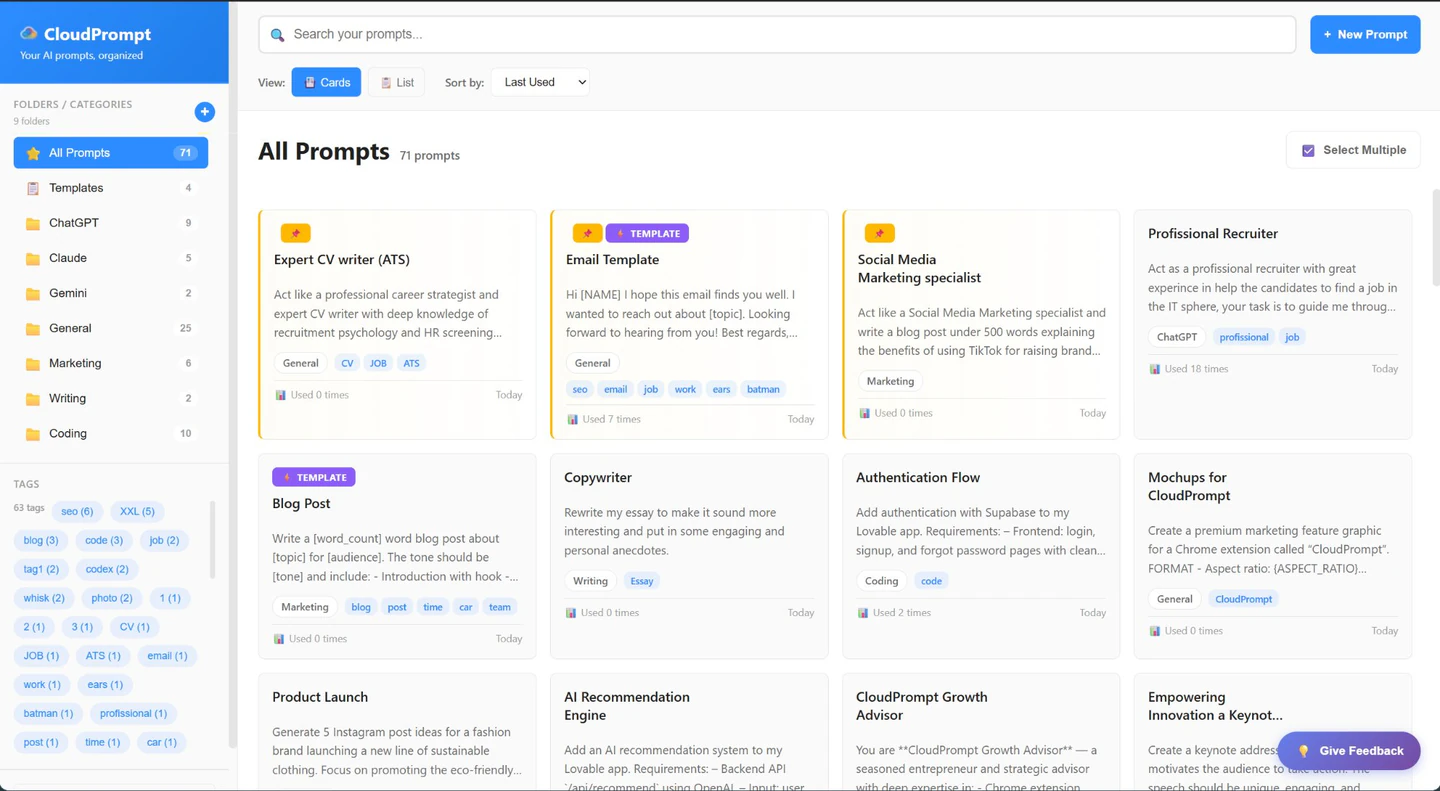
The popup follows your system theme. The Library gives you the full picture — folders, tags, templates, and search across everything.
Save it once. Summon it forever.
Three steps between you and a perfectly organized prompt library.
Highlight & right-click
Found a great prompt anywhere on the web? Right-click → Save to CloudPrompt. Done.
It organizes itself
Auto-categorized by platform. Add folders and tags if you want. Everything syncs to your Google Drive.
Summon with Ctrl+Shift+Y
Instant search over everything, on any page. Click to copy, paste, and go.
Features
Everything you need.
Simple, powerful, and private.
Right-Click Save
Highlight text on any page, right-click, and it's saved as a prompt.
Instant Access
Press Ctrl+Shift+Y anywhere. Your prompts appear instantly. Microsoft Edge reserves this shortcut; choose another, such as Ctrl+Shift+X. CloudPrompt shows you how.
Cloud Sync
Auto-synced to your Google Drive. Access your prompts from any device.
Privacy First
Your data stays in your Google Drive. Nothing is stored on CloudPrompt servers.
Organize
Folders, tags, and powerful search. Find what you need in seconds.
Templates
Create reusable templates with [variables]. Fill in the blanks and go.
Export
Your data, your control. Export anytime as JSON or CSV.
Context-Aware
On ChatGPT, Claude, Gemini, or Copilot? Your most relevant prompts surface first, automatically.
Cross-Browser
Works on Chrome, Edge, and Comet by Perplexity. One extension, one library.
Works with all your favorite AI tools
Available on
Popular ways to use CloudPrompt
See how CloudPrompt fits your workflow.
Google Drive Prompt Manager
Your prompts, stored in your own Google Drive. Private by design.
Learn more →Ready to get organized?
Join hundreds of AI users who keep their best prompts in one place.
Get CloudPrompt — Free